Events Setup
To access events listing, use the left menu tabs, and select Events.
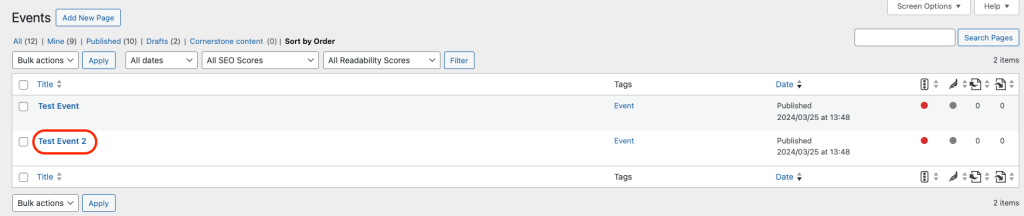
Once selected, you will see a list of all past, current and future events. This is called your Event Archive (see screenshot below).

Important Notes
Has my event been listed previously?
- If yes, use the existing event listing (see below – Editing an existing event). You will be able to locate the event by scrolling through the Events Archive page and clicking on the relevant title. This will help to ensure there are not multiple event listings for the same event. Once selected, update the relevant content and dates to suit your needs.
- If not, proceed in adding your new event (see below – Adding a new event).
Adding a new event
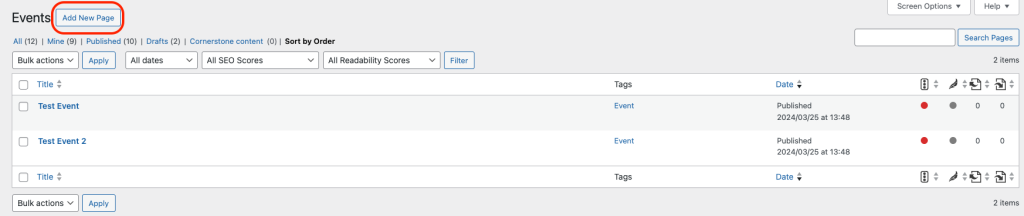
To add a new event listing, you will need to click on “Add New” while on the Event Archive page. This will appear in the top left corner of your screen.
Editing an existing event
To edit an event listing that has already been created, you will need to click locate your event on the Event Archive page. Simply click on the event title and this will open your event listing.